How to update the price on all ad sizes at once: a two-step example
Updated November 2026 · PixFit team
Change the price once and regenerate the set, instead of editing each size by hand. In this real example, a demo-brand travel ad went to six sizes with Resize, then Iterate changed the fare from $489 to $429 and, in a second step, the booking deadline from Dec 15 to Jan 10, across the whole set.
The fare changes on Tuesday and the deadline moves on Thursday. Each change touches every size you already uploaded, and one missed file means an ad that promises a price you no longer offer.
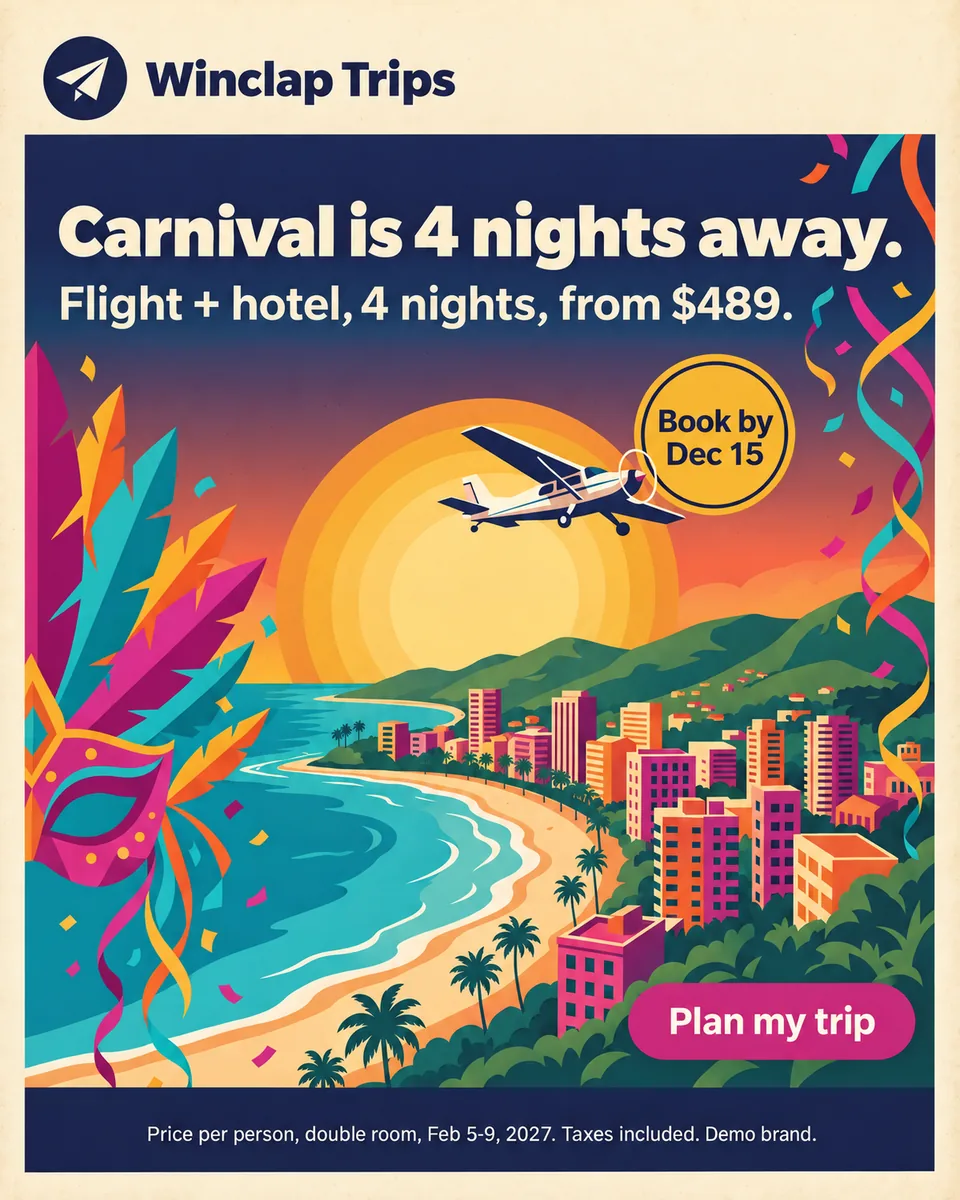 Meta 4:5 · 1200 × 1500
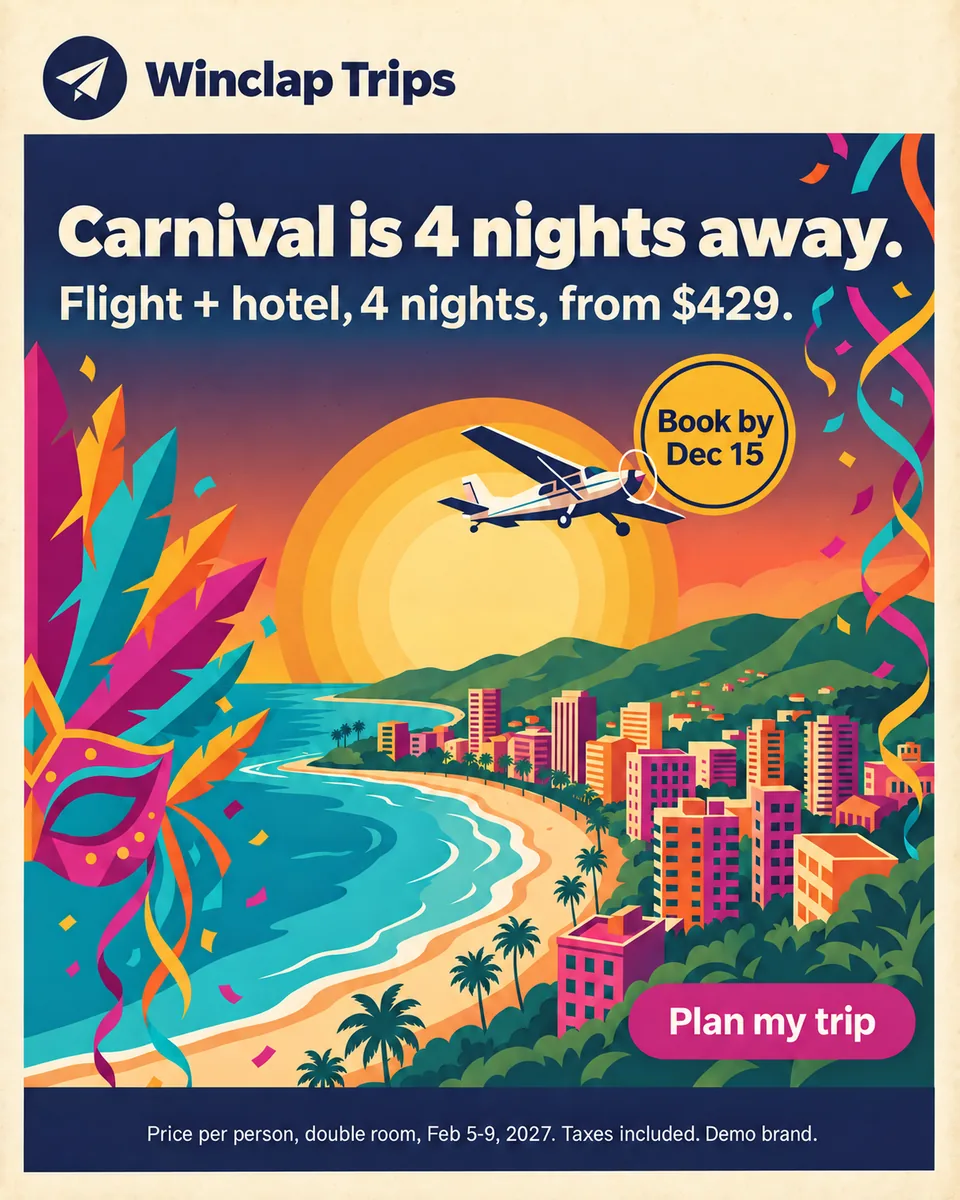 Meta 4:5 · Iterate step 1 · 1200 × 1500
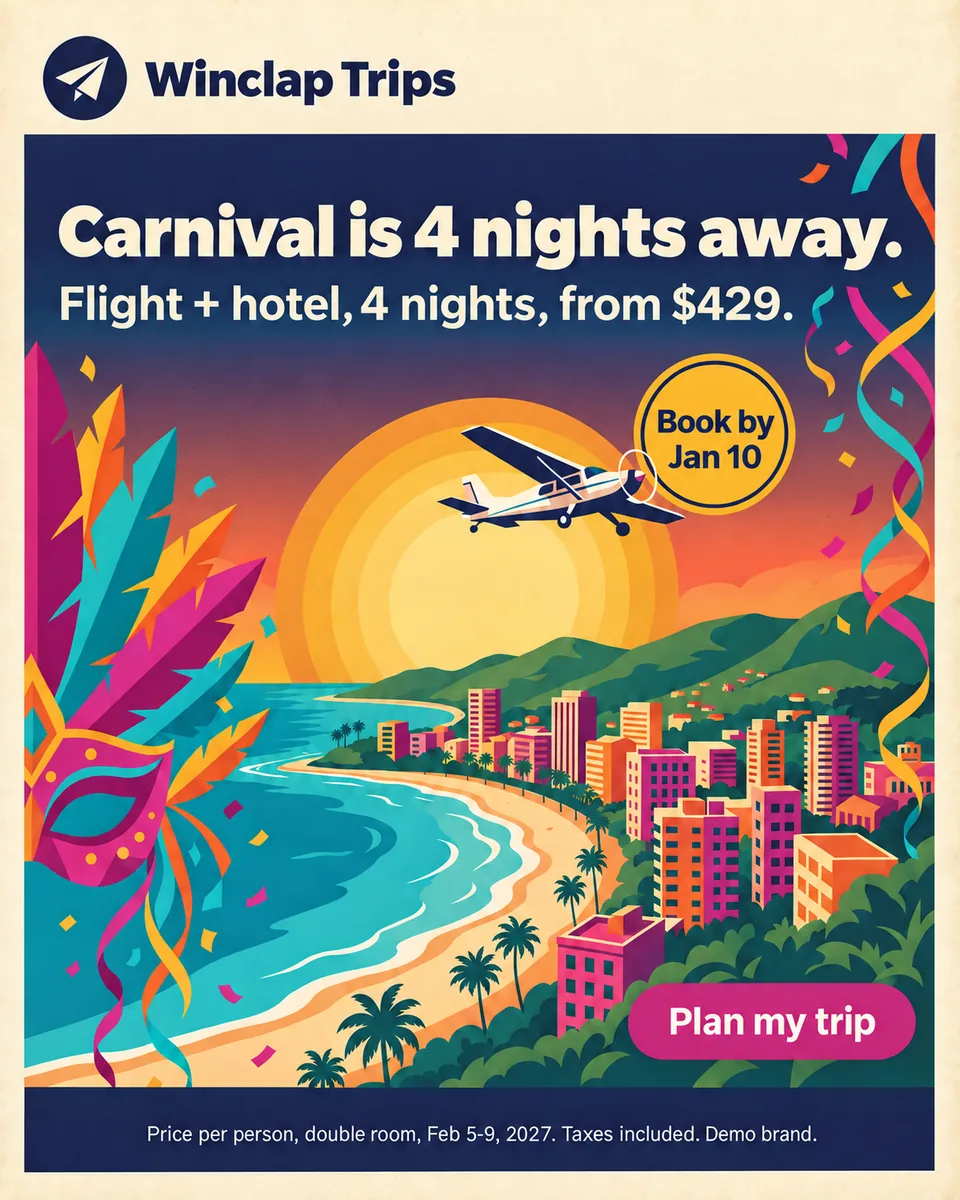 Meta 4:5 · Iterate step 2 · 1200 × 1500
Winclap Trips (demo brand): sizes, what the platform recommends and what happened to each output across the three versions
| Placement | Platform recommends | PixFit output | Result across original, price step and date step |
|---|---|---|---|
| Meta Feed 4:5 | 1440 × 1800 | 1200 × 1500 | Clean in all three versions |
| Meta Stories and Reels 9:16 | 1440 × 2560 | 1080 × 1920 | Clean in all three versions |
| Google Demand Gen 1:1 | 1200 × 1200 | 1080 × 1080 | Clean in all three versions |
| Google Demand Gen 4:5 | 960 × 1200 | 1080 × 1350 | Clean in all three versions |
| Google Demand Gen 9:16 | 1080 × 1920 | 1080 × 1920 | Clean in all three versions |
| Google 16:9 | Video ratio; not an image size in the pages cited | 1920 × 1080 | Clean in all three versions |
| Meta Feed 1:1 | Not the ratio the Ads Guide pages cited recommend | 1080 × 1080 | Left out: typos in the text (see below) |
| TikTok In-Feed 9:16 | 720 × 1280 template frame | 1080 × 1920 | Left out: the cream frame at the bottom was missing |
Platform columns are official recommendations read on 6 November 2026; PixFit columns are what the tool produced. The key visual is a 1:1 image, and the legal line reads “Price per person, double room, Feb 5-9, 2027. Taxes included. Demo brand.”
Sources
- Meta Ads Guide: Facebook Feed image, accessed 2026-11-06
- Meta Ads Guide: Instagram Stories image, accessed 2026-11-06
- Google Ads Help: Demand Gen image specs, accessed 2026-11-06
- TikTok Business Help Center: TikTok Auction In-Feed Ads, accessed 2026-11-06
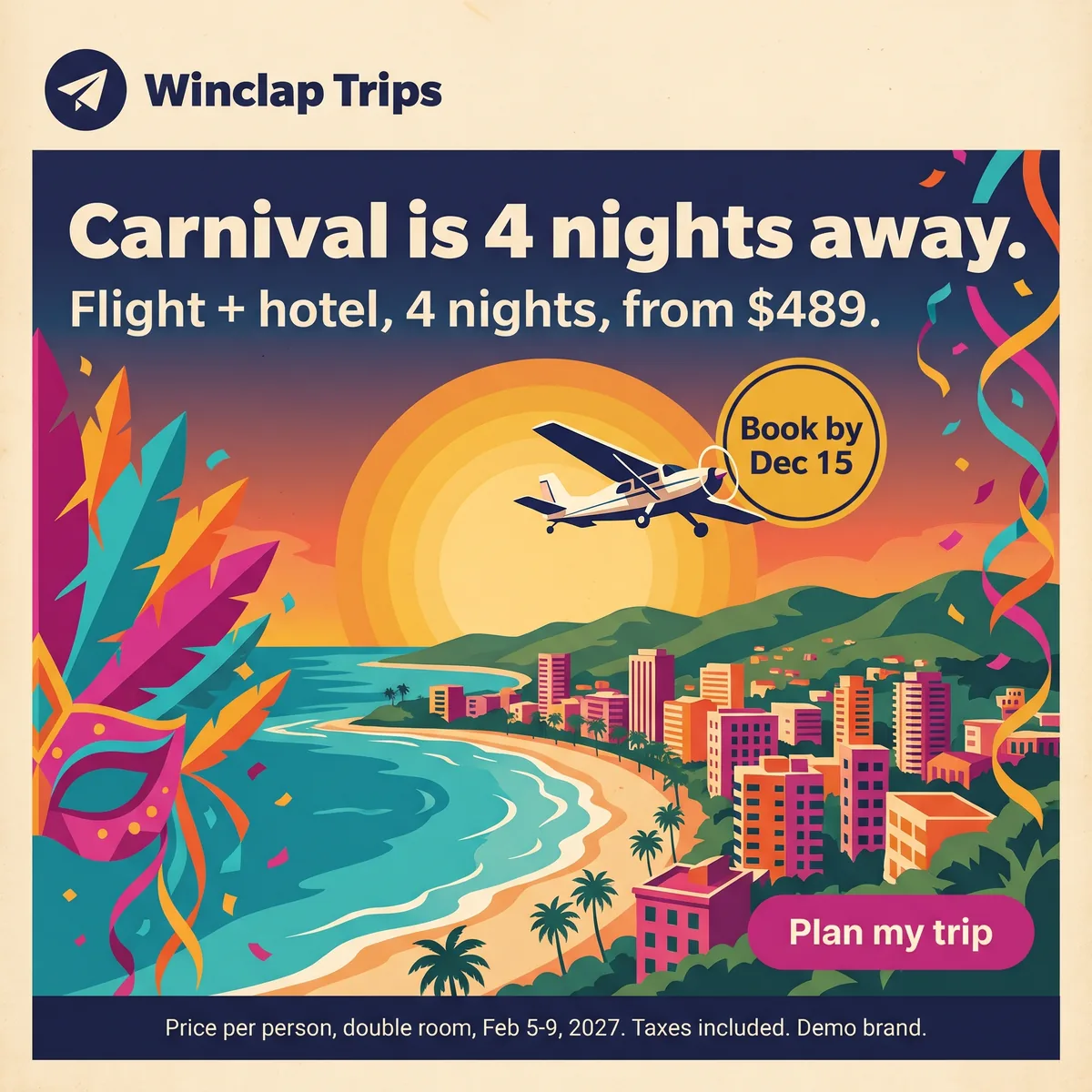 Key visual · 2048 × 2048
- Meta 4:5 · 1200 × 1500
 Meta 9:16 · 1080 × 1920
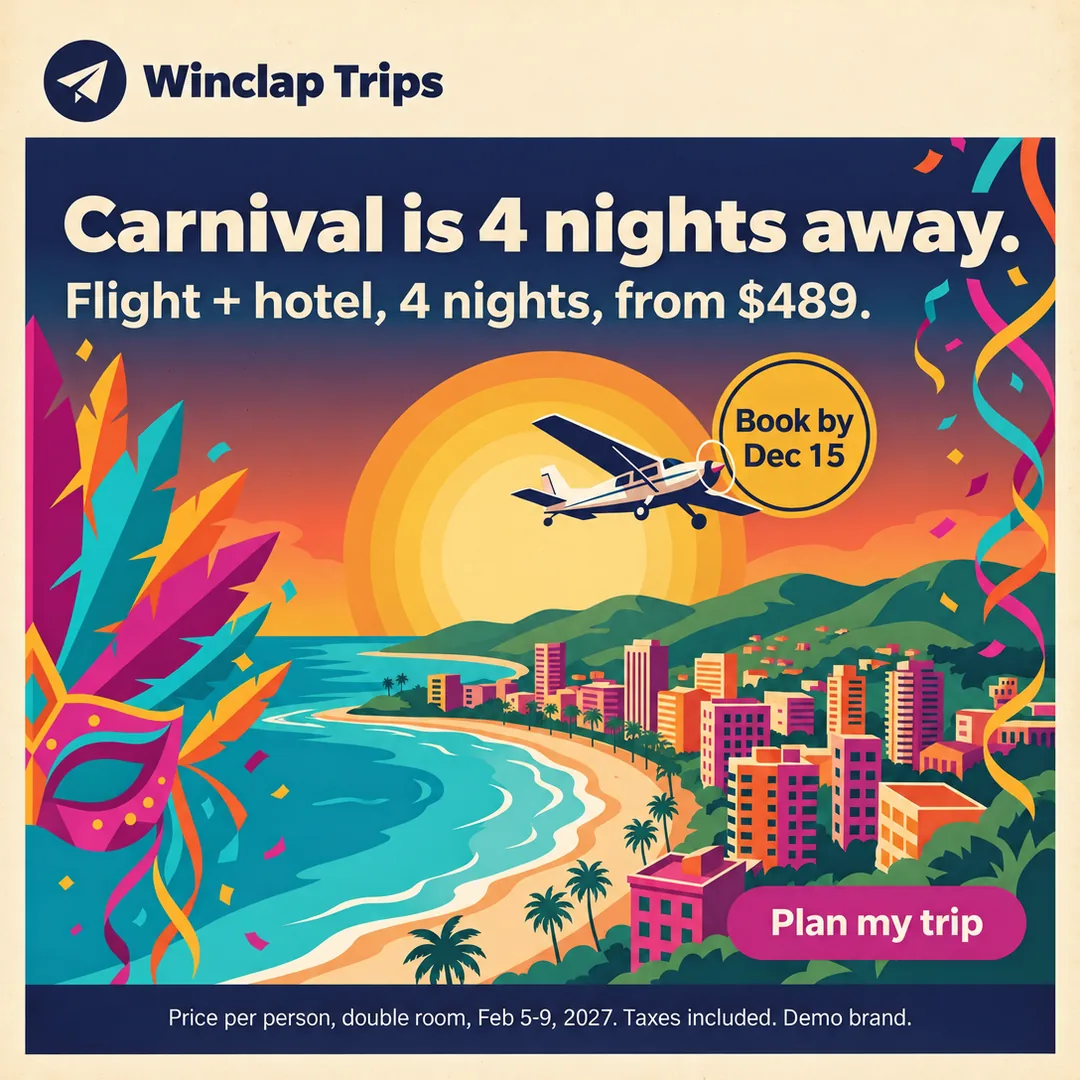 Google 1:1 · 1080 × 1080
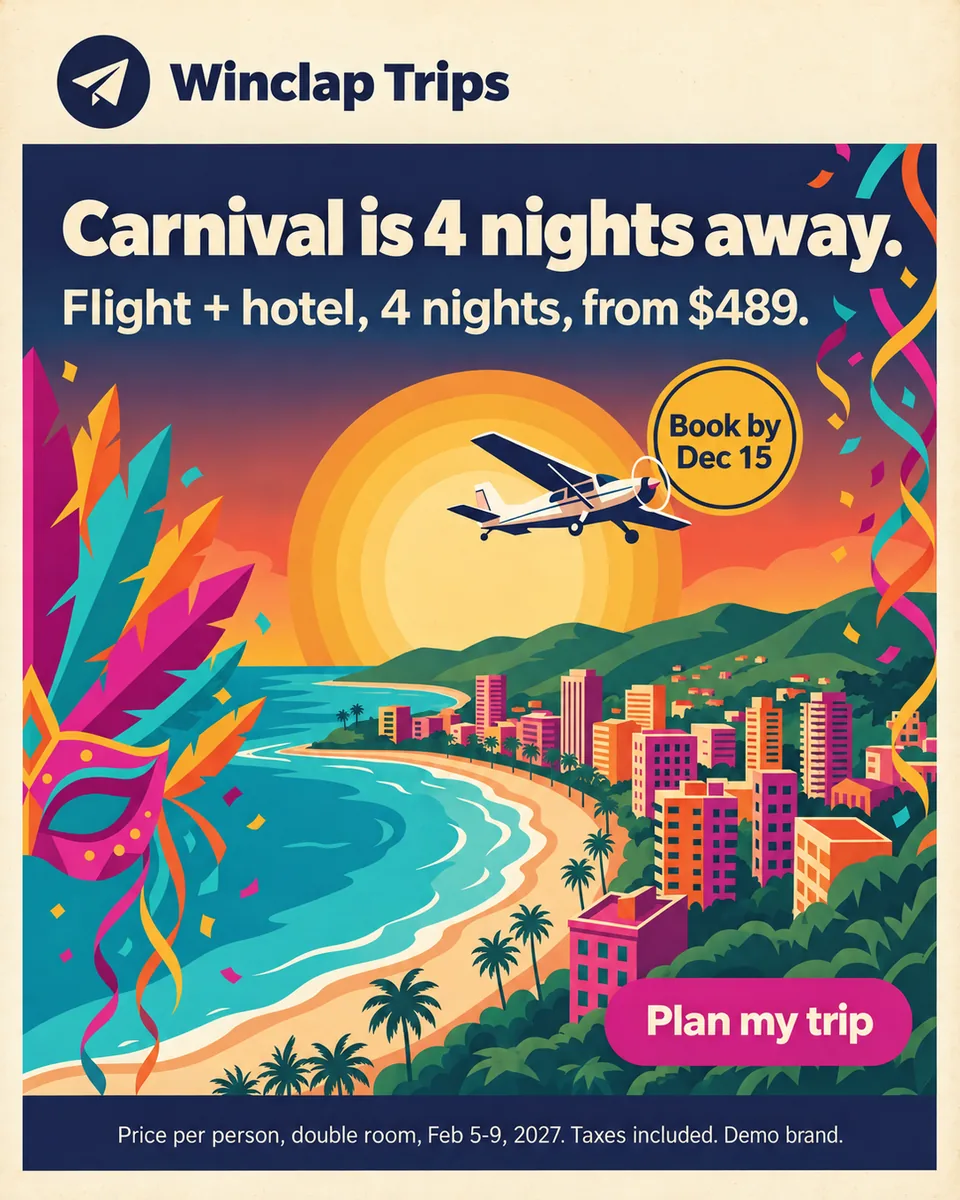 Google 4:5 · 1080 × 1350
 Google 9:16 · 1080 × 1920
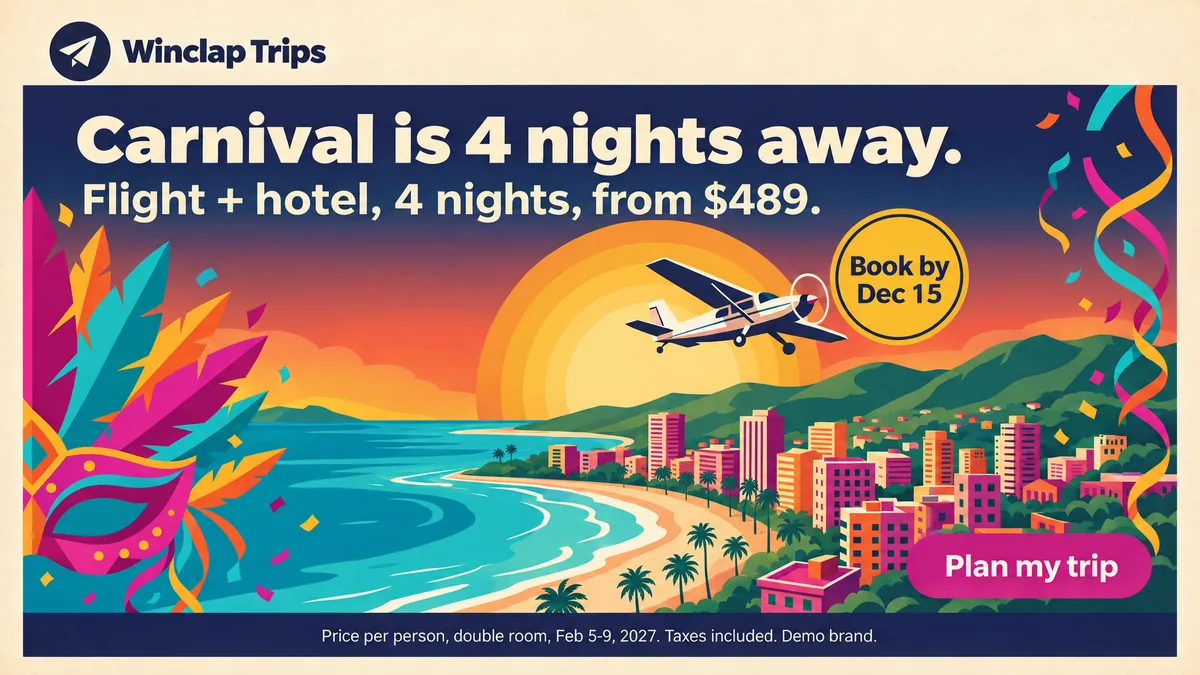 Google 16:9 · 1920 × 1080
The brief: a fare and a deadline that both change
Winclap Trips is a demo brand. The key visual is a Carnival poster: “Carnival is 4 nights away. Flight + hotel, 4 nights, from $489.”, a yellow badge that says “Book by Dec 15”, a “Plan my trip” button and a legal line. The brief had two changes after launch: the fare drops to $429, and the booking deadline moves to Jan 10. Both have to reach every size.
The steps in PixFit
The set was made in two moves, both inside the app.
- Resize: the key visual to the Meta, Google and TikTok presets, 8 outputs.
- Iterate, step 1: the price line from $489 to $429 on the whole set.
- Iterate, step 2: the badge from “Book by Dec 15” to “Book by Jan 10”, on top of step 1.
- Result: 16 outputs in the Iterate steps. Six sizes per step are shown on this page.
What we had to leave out, exactly as it happened
We checked every output letter by letter against the key visual. Two did not pass. The Meta 1:1 came out with “awayay” instead of “away”, a duplicated plane and “Taxxes” in the legal line, and the step 2 version repeated the typo. The TikTok 9:16 had lost the cream frame at the bottom since the Resize step. We did not use either, and they are not shown. The other six sizes were clean in the original, the price step and the date step. The check against the key visual is part of the work: it is how those two were caught.
Why regenerating beats editing each file
Editing a price by hand means opening every size, finding the line, matching the font and exporting again, once per change. Regenerating from one approved key visual keeps the layout decisions the same across sizes, and the second change (the deadline) did not need the first to be redone. It does not remove the review. PixFit is built to keep the logo, price, button and legal line, and you still compare each output with the key visual before you upload.
How PixFit adapts one key visual
- 1
Upload the approved key visual (PNG, JPG or WebP).
- 2
Pick the formats: 14 presets plus any custom size.
- 3
Review each output with the safe-zone overlay, finish any detail with AI fixes and download it ready for paid media.
Frequently asked questions
What a designer spends 2 days on takes PixFit under 3 minutes.
Plans from $49/mo. Start with 5 free credits, no card.
See pricing