Ad sizes and safe zones 2026 for Meta, Google Ads and TikTok
Updated November 2026 · PixFit team
Meta recommends 1440 × 1800 (4:5) for Feed and 1440 × 2560 (9:16) for Stories and Reels, with about 14% top, 35% bottom and 6% per side free. Google's most common images are 1200 × 628 and 1200 × 1200. TikTok's 9:16 template keeps 160 px top, 440 px bottom and 80 px per side clear on 720 × 1280.
A paid media team sizes one campaign against three rulebooks: Meta writes its safe zone in percentages, Google spreads image specs across one help page per campaign type, and TikTok ships a PNG overlay. Most cheat sheets still quote 1080 px and a 20% margin, and a CTA placed by those numbers can land under the Reels caption.
 Key visual · 2048 × 2048
 Meta 4:5 · 1200 × 1500
 Meta 9:16 · 1080 × 1920
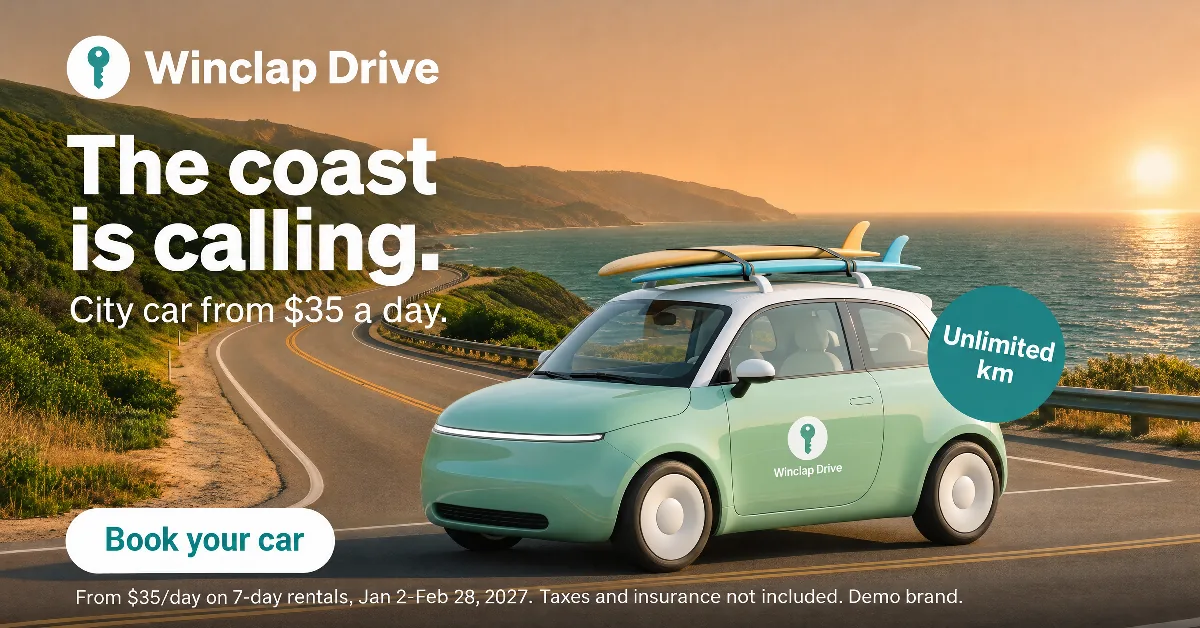 Google 1.91:1 · 1200 × 628 · custom size
 Google 1:1 · 1080 × 1080
 Google 4:5 · 1080 × 1350
 Google 9:16 · 1080 × 1920
 Display 300 × 250 · 300 × 250 · custom size
 TikTok 9:16 · 1080 × 1920
Recommended size and area to keep clear, by platform (official sources, read 6 November 2026)
Meta
| Placement | Recommended size | Area to keep clear | Source |
|---|---|---|---|
| Facebook and Instagram Feed, image | 4:5 at 1440 × 1800 | The Feed image pages give no safe zone | Meta Ads Guide |
| Instagram Stories, Instagram Reels and Facebook Stories, image | 9:16 at 1440 × 2560 | Roughly 14% top, 35% bottom, 6% per side | Meta Ads Guide |
Google Ads
| Placement | Recommended size | Area to keep clear | Source |
|---|---|---|---|
| Landscape image in Demand Gen, Performance Max and Responsive Display | 1.91:1 at 1200 × 628 (minimum 600 × 314) | No margin given in the cited specs | Google Ads Help |
| Square image in the same three campaign types | 1:1 at 1200 × 1200 (minimum 300 × 300) | No margin given in the cited specs | Google Ads Help |
| Portrait image in Demand Gen and Performance Max | 4:5 at 960 × 1200 (minimum 480 × 600) | No margin given in the cited specs | Google Ads Help |
| Vertical image in Demand Gen, for YouTube Shorts | 9:16 at 1080 × 1920 (minimum 600 × 1067) | 288 px top, 672 px bottom, 48 px left, 192 px right (YouTube vertical template) | Google Ads Help |
| Uploaded display banners | 300 × 250, 300 × 600 and 970 × 250, up to 150 KB | No margin given in the cited specs | Google Ads Help |
TikTok
| Placement | Recommended size | Area to keep clear | Source |
|---|---|---|---|
| In-Feed video, 9:16 | 540 × 960 or larger | 160 px top, 440 px bottom, 80 px per side and a 120 px button column, on 720 × 1280 | TikTok Business Help Center |
| In-Feed video, 16:9 and 1:1 | 960 × 540 or larger; 640 × 640 or larger | TikTok says it depends on orientation; not measured here | TikTok Business Help Center |
| Static image or carousel | No official size found in TikTok's help articles | No official template verified | TikTok Business Help Center |
Meta's percentages come from its Stories and Reels image pages. Google's vertical margins come from its YouTube vertical video template, and Demand Gen says 9:16 images follow a similar safe zone. TikTok's margins were measured on its In-Feed Standard template, labeled at 720 × 1280. Google image assets go up to 5 MB, Meta images up to 30 MB, uploaded display banners up to 150 KB.
Sources
- Meta Ads Guide: Facebook Feed image, accessed 2026-11-06
- Meta Ads Guide: Instagram Stories image, accessed 2026-11-06
- Google Ads Help: Google Ads image sizes, accessed 2026-11-06
- Google Ads Help: Demand Gen image specs, accessed 2026-11-06
- Google Ads Help: Performance Max asset specs, accessed 2026-11-06
- Google Ads Help: responsive display ads best practices and the move to Demand Gen, accessed 2026-11-06
- Google Ads Help: video ad safe zones, accessed 2026-11-06
- Google Ads Help: uploaded display ads specifications, accessed 2026-11-06
- TikTok Business Help Center: TikTok Auction In-Feed Ads, accessed 2026-11-06
What the platform asks vs what PixFit delivers
Every figure in the table comes from the platform's own help pages, read on 6 November 2026 and linked below it. What PixFit outputs is a separate layer, its presets and custom sizes, and it gets its own section at the end. Keep the two apart: platforms revise their recommendations (Google is folding Display into Demand Gen this year), and a tool's default is never a platform rule.
Meta: 4:5 in Feed, one safe zone for Stories and Reels
Meta's Ads Guide asks for 1440 px of width: 1440 × 1800 for Feed images and 1440 × 2560 for Stories and Reels. The floor is much lower (500 px wide, 600 px in Facebook Feed) and files can weigh up to 30 MB, so a 1080 px upload goes through, but it is no longer what Meta recommends. Instagram Feed accepts ratios from 4:5 to 1.91:1, which keeps the square alive, yet the guide's pick for Feed is 4:5. For the vertical placements there is a single instruction for Stories and Reels: leave roughly 14% of the top, 35% of the bottom and 6% of each side free of text and logos. On 1440 × 2560 that works out to about 358, 896 and 86 px. The Feed image pages give no safe zone, and Facebook Reels has no image page in the guide at all.
Google Ads: four image ratios across three campaign types
Google names 1200 × 628 (1.91:1) and 1200 × 1200 (1:1) as its most common image sizes, and both run in Demand Gen, Performance Max and Responsive Display. Demand Gen and Performance Max add a 4:5 portrait at 960 × 1200. For vertical, Demand Gen takes 9:16 images at 1080 × 1920, recommended for YouTube Shorts, and Responsive Display's best-practices page lists 900 × 1600; Performance Max uses 9:16 for video only. Image assets can weigh up to 5 MB. Two things change the plan this year: Display campaigns are moving to Demand Gen, with eligible advertisers able to move voluntarily since June 2026, and uploaded display banners such as 300 × 250, 300 × 600 and 970 × 250 have a far tighter 150 KB limit.
TikTok: the safe zone is a file, not a number
TikTok's In-Feed help page says the safe zone depends on the ad's orientation, its caption length and extra formats such as anchors, so it ships downloadable overlays rather than figures. Measured on the Standard template, labeled 720 × 1280, the clear area begins 160 px below the top, ends 440 px above the bottom and keeps 80 px from each side, with a 120 px column reserved for the action buttons across the lower 720 px. At 1080 × 1920 those become 240, 660 and 120 px, plus a 180 px column. In-Feed is a video format, with 9:16 at 540 × 960 or more, and we found no official TikTok size for static images or carousels.
Where the official numbers and the cheat sheets disagree
Most size guides lag behind the platforms' own pages. Where they disagree with the source, this guide follows the source.
- Meta resolution: most guides still print 1080 × 1350 and 1080 × 1920. The Ads Guide recommends 1440 × 1800 and 1440 × 2560.
- Meta Stories margin: many guides give Stories a 20% bottom margin and keep 35% for Reels. The Ads Guide gives both 14% top, 35% bottom and 6% per side.
- TikTok margins: blog figures change from one canvas to the next. The official template, measured pixel by pixel, gives 160, 440 and 80 px on 720 × 1280.
- Google square images: the Responsive Display specs page recommends 600 × 600, the best-practices page 1200 × 1200. A 1200 × 1200 file satisfies both.
- Google logos: the Demand Gen page sets a 128 × 128 minimum in one table and 144 × 144 in another. A 1200 × 1200 logo clears both.
One 9:16 layout that clears Meta, TikTok and YouTube
When the same vertical piece runs in Stories, Reels, TikTok and YouTube Shorts, design it for the strictest margin on each edge. On 1080 × 1920, keep text and logos out of the top 288 px (YouTube), the bottom 672 px (Meta and YouTube), the left 120 px (TikTok) and the right 192 px (YouTube), widening to 300 px across the lower 1080 px, where TikTok's buttons sit. What remains is a band 960 px tall for headline, offer, price, logo and CTA. The overlay is ours, built from the three official templates, and TikTok's bottom band grows with longer captions, so treat it as a minimum.
How to adapt one key visual to every size
Getting the numbers right is the quick part. The slow part is recomposing one approved piece for shapes that range from a wide 1.91:1 to a tall 9:16 without changing what it says.
- Start from the key visual at the highest resolution you have. Scaling a 1080 px file up to 1440 px adds pixels, not detail.
- Group sizes by shape, not by platform: square 1:1, portrait 4:5, vertical 9:16 and landscape 1.91:1. One layout per shape covers every image placement in the table except the uploaded banners.
- Recompose instead of cropping. A vertical crop of a 1200 × 628 image keeps less than 30% of its width.
- Move every readable element into the clear area of its placement, at a size that still reads on a phone.
- Before uploading, compare each output with the key visual: offer, price and legal copy should match word for word.
- Check file weight last: Meta allows 30 MB and Google image assets 5 MB, but uploaded banners stop at 150 KB.
What PixFit delivers for each platform
PixFit adapts one approved key visual to 14 presets plus any custom size and recomposes each output for its ratio. Meta presets: 1:1 at 1080 × 1080, 4:5 at 1200 × 1500 and 9:16 at 1080 × 1920. Google presets: 1:1 at 1080 × 1080, 4:5 at 1080 × 1350, 9:16 at 1080 × 1920 and 16:9 at 1920 × 1080, a ratio Google uses for video rather than image assets. TikTok preset: 9:16 at 1080 × 1920. All of them sit above the platforms' minimums. For Meta's exact 1440 × 1800 and 1440 × 2560, or for Google's 1200 × 628 (there is no 1.91:1 preset), type a custom size: custom sizes run from 32 to 8192 px per side. Outputs are flat PNG files at the exact size, each with a safe-zone overlay to check it at a glance, and any detail that lands wrong gets a final touch inside PixFit with AI fixes. Iterate builds versions of the same piece, and Asset Animation turns statics into 9:16 video for TikTok.
How PixFit adapts one key visual
- 1
Upload the approved key visual (PNG, JPG or WebP).
- 2
Pick the formats: 14 presets plus any custom size.
- 3
Review each output with the safe-zone overlay, finish any detail with AI fixes and download it ready for paid media.
TikTok ad safe zones for 9:16, in pixels
TikTok publishes its In-Feed safe zone as a template, not as numbers. Measured on the official 720 × 1280 file, keep text and logos 80 px from each side, 160 p…
Meta ad sizes 2026 for Facebook and Instagram: Feed, Stories and Reels
Meta's Ads Guide recommends 4:5 images at 1440 × 1800 for Facebook and Instagram Feed and 9:16 at 1440 × 2560 for Stories and Reels, with roughly 14% of the to…
Google Ads image sizes 2026 for Demand Gen, Performance Max and Responsive Display
Google's most common image sizes are 1200 × 628 (1.91:1) and 1200 × 1200 (1:1), used in Demand Gen, Performance Max and Responsive Display. Demand Gen and Perf…
What sizes do Amazon and Mercado Libre ads need?
Amazon Ads takes custom images in three ratios: square 1:1 (recommended 1200 × 1200), wide 1.91:1 (recommended 1200 × 628) and tall 9:16 (minimum 338 × 600), a…
Demand Gen safe zones for YouTube 9:16, in pixels
Google's vertical safe zone for YouTube Shorts is a template labeled 1080 × 1920. Keep text and logos 288 px from the top, 672 px from the bottom, 48 px from t…
Instagram Reels and Stories ad safe zone 2026, in pixels
Meta asks you to keep roughly 14% of the top, 35% of the bottom and 6% of each side free of text and logos, for Reels and Stories alike. On 1440 × 2560 that is…
Performance Max image and logo sizes
Performance Max takes images at 1.91:1 (1200 × 628), 1:1 (1200 × 1200) and 4:5 (960 × 1200), up to 20 per asset group. Logos go at 1:1 (1200 × 1200) and 4:1 (1…
Can I resize an ad to my own pixel sizes?
Yes. Type the width and height of the placement, from 32 to 8192 pixels per side, and PixFit delivers the ad at that exact size. If a publisher always asks for…
What a designer spends 2 days on takes PixFit under 3 minutes.
Plans from $49/mo. Start with 5 free credits, no card.
See pricing